
Accessing Seagate Hardrive Recovery/Diagnostics Ports:
The ports are shown here:
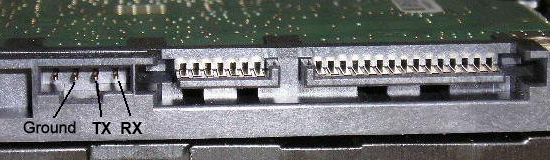
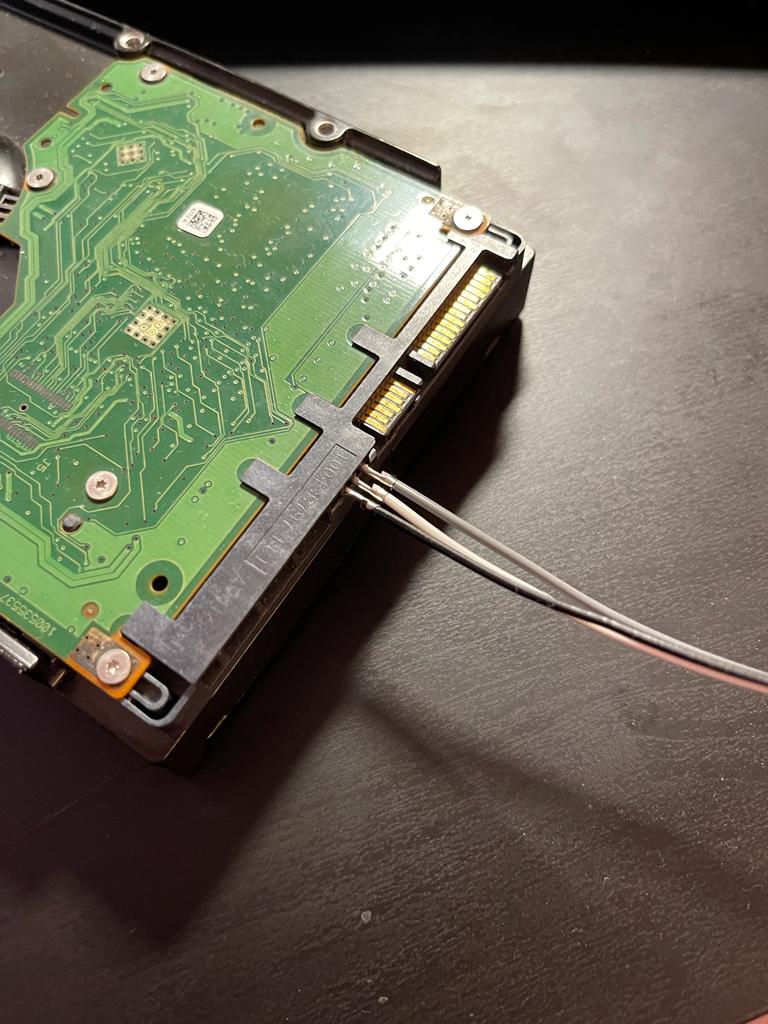
These ports need to be connected to a USB to TTL Adapter. In my previous post How to use Arduino mega as a USB TTL Adapter, I wrote about using Arduino as a TTL Adapter. We are going to connect these ports to Arduino as below:
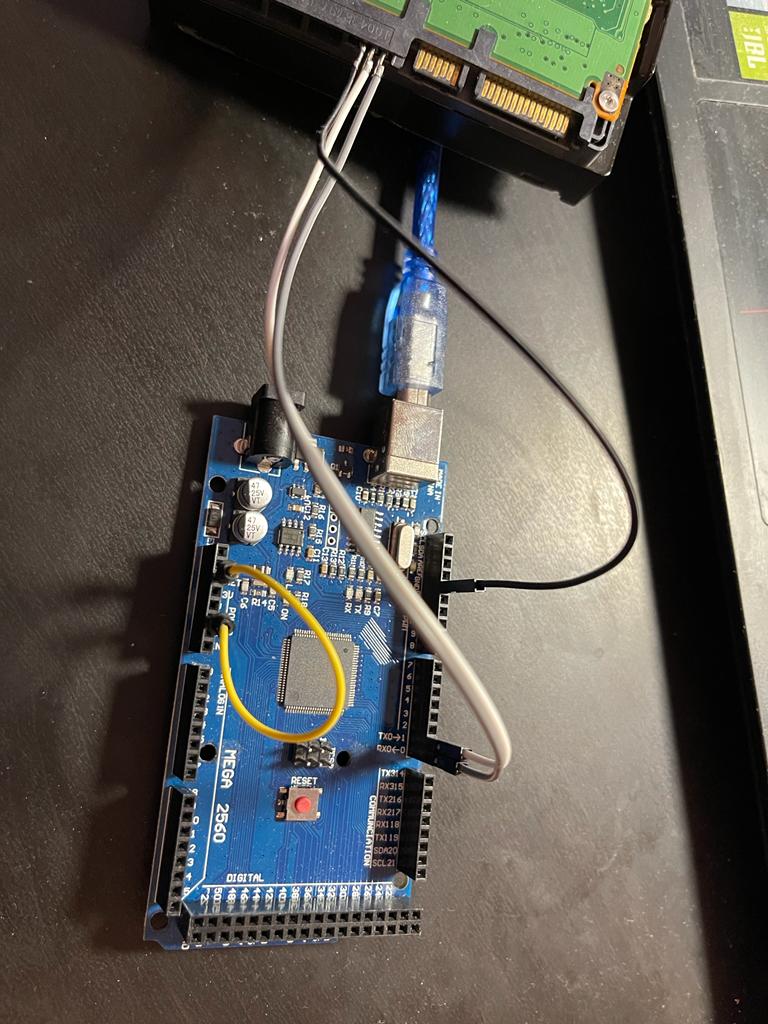
Accessing the terminal with PUTTY
After turning on the Arduino, find out the COM port from the device manager.
Enter the following settings in PuTTY:
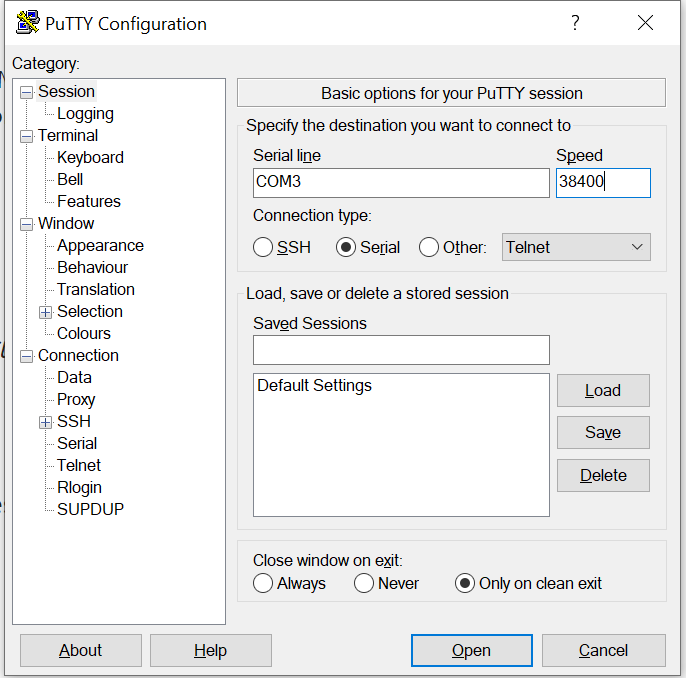
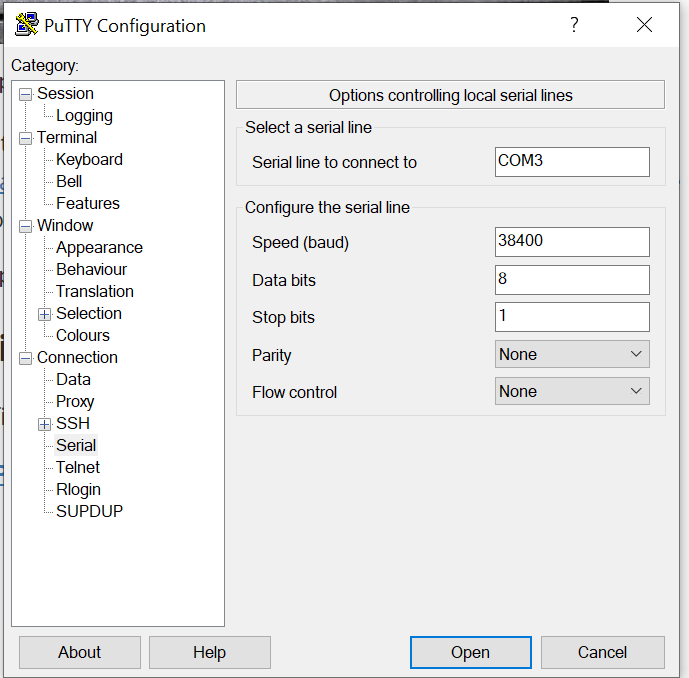
In my case the port was COM3. Click on open and you should be good to go!
Discussion
Comments are not enabled on this build. Production uses Giscus (GitHub Discussions) when the repository secrets are set.