I will show you a method to download/save WhatsApp status photos and videos of your friends/contacts from your phone without installing any app. The only downside is that you require (temporary) access to a computer. This method works for both iPhone and Android.
How to save photos and videos?
-
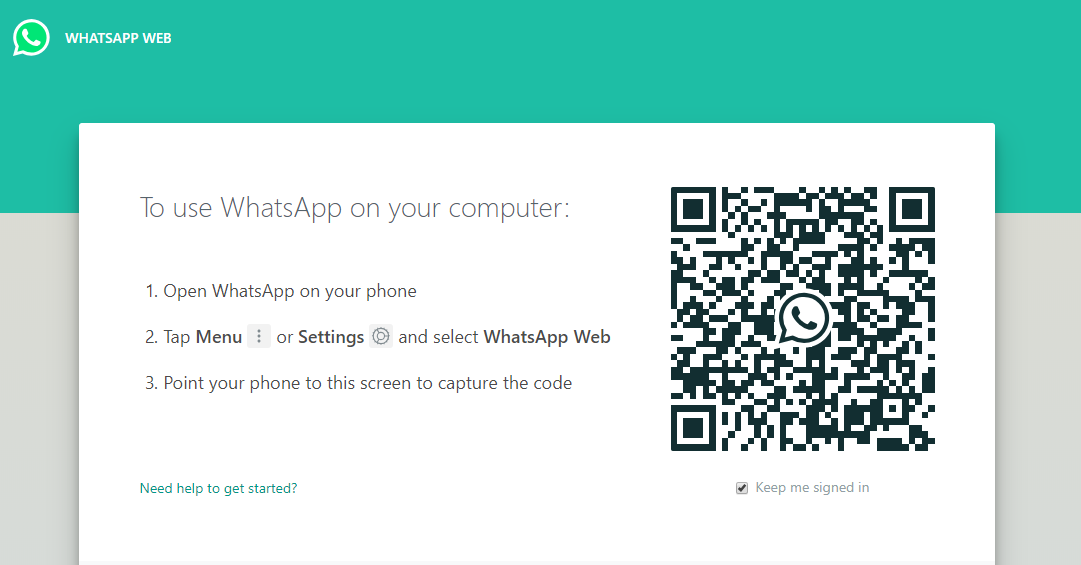
Go to https://web.whatsapp.com/ on your computer and connect your phone on which WhatsApp is installed.
-
After connecting, click the status icon and go to status which you want to save.

-
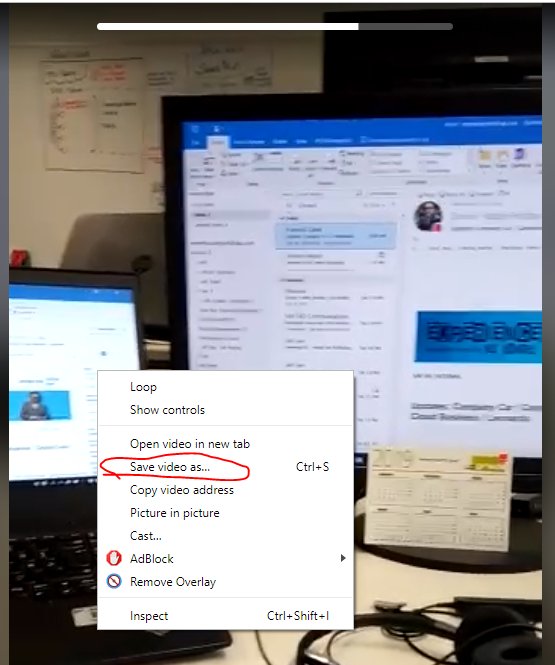
While the status is playing in the browser, right click on the image/video and click Save image as… or Save video as… and save it to your desired location. I tried it in Chrome, but it should also work in other browsers.

Afterwards you can move the file to your phone by transferring it or sending it to yourself.
Discussion
Comments are not enabled on this build. Production uses Giscus (GitHub Discussions) when the repository secrets are set.